


Current version 1.0.26 · Windows 10 and 11
Buses and duties, planned in minutes.
Schedulo Bus is bus and driver scheduling software for UK operators. Open your TransXChange timetables and it builds the vehicle blocks and drivers' duties, checks every rule and saves the block numbers back to Schedulo TXC.
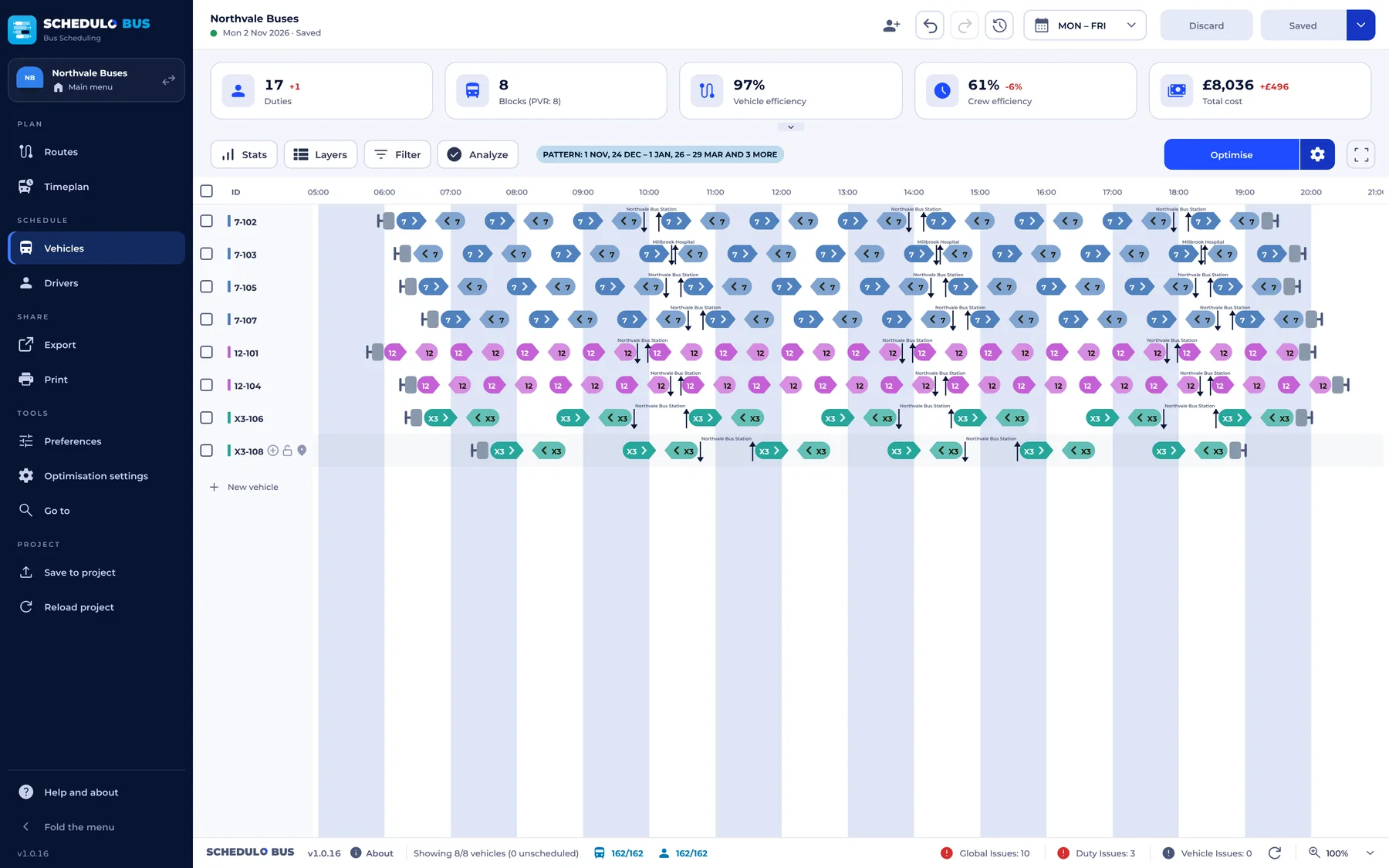
Schedulo Bus in brief.
Schedulo Bus in about a minute.
From your timetables to vehicle blocks, drivers' duties and running boards.
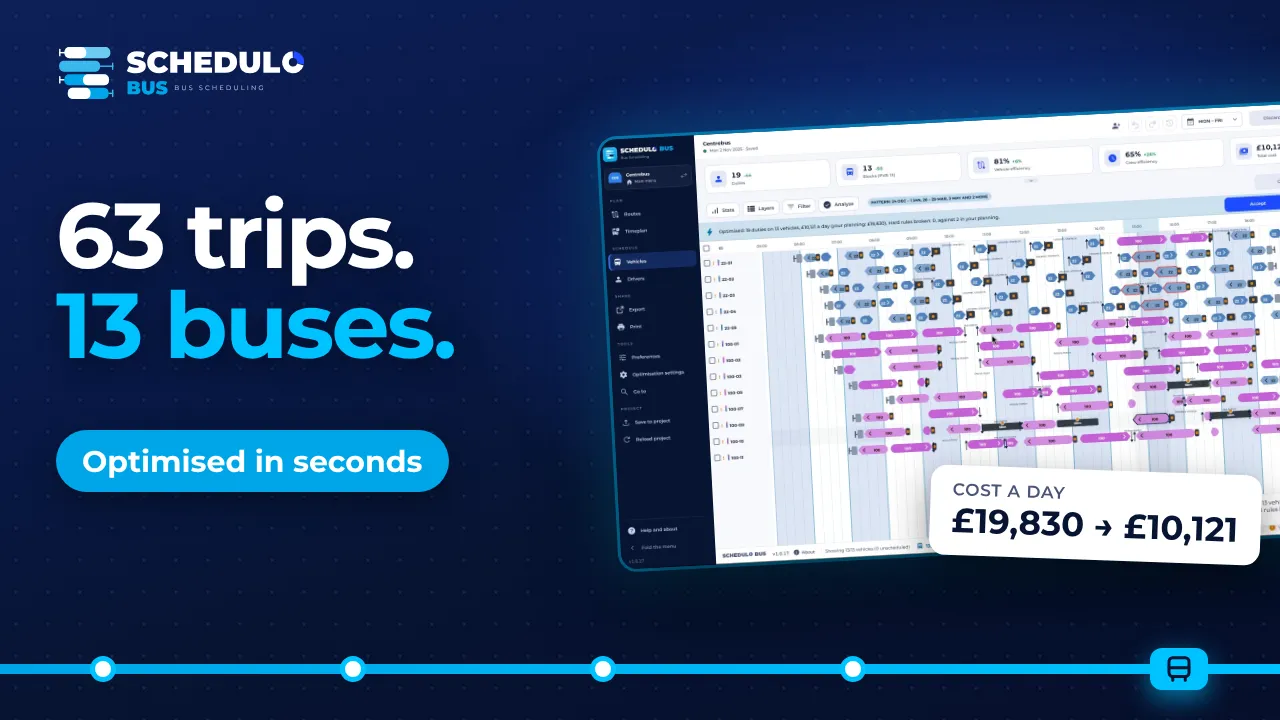
66 seconds. The video plays from YouTube (privacy-enhanced mode). Nothing is loaded from YouTube until you press play.
Three steps, then save.
The planning has four tabs: Routes, Timeplan, Vehicles and Drivers. Changes to vehicles and drivers are a draft until you press SAVE.
Timeplan
Running times and timetables for each line and day type, with time bands for the peak and the evening.
Vehicles
Which bus drives which trips, with interworking and interlining. Drag trips between blocks.
Drivers
Duties cut at termini and depots, under your working-time rules for breaks, duty length and relief points.
Save
Back into the project, ready for Schedulo TXC's "Bring back workings and duties".
Everything a scheduler needs, in one window.
Reads your timetables
Schedulo projects or TransXChange files: lines, stops, journeys, days of operation and bank holidays.
Optimise, then decide
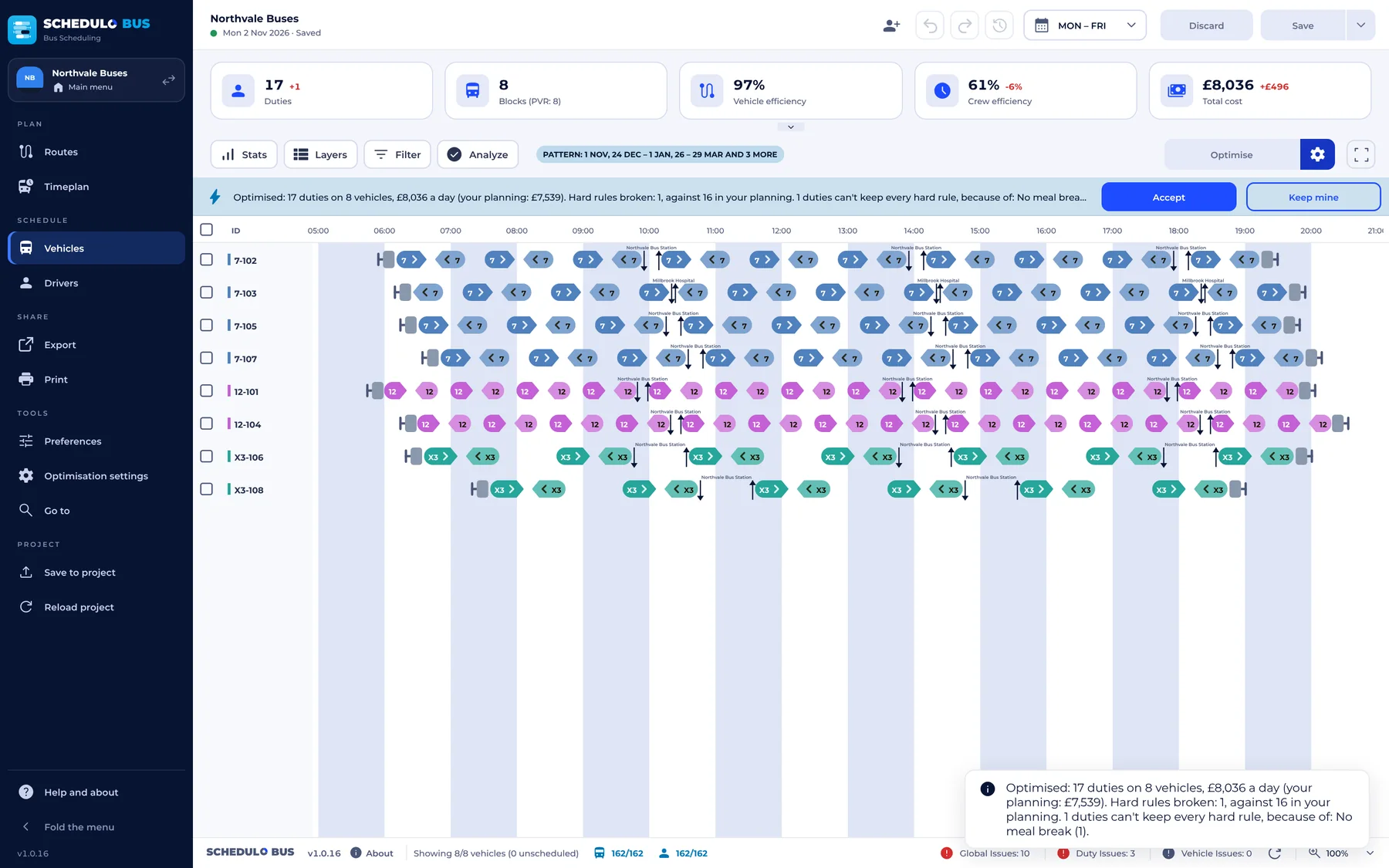
OPTIMIZE proposes the fewest buses and lowest cost, in under a second even on a day of 250 buses. See the difference in buses, duties and cost, then ACCEPT or KEEP MINE. Locked work stays.
Every rule checked
Breaks, duty length, relief points and signing on. Issues and Analyze say what's wrong in plain words.
Drivers' duties at a glance
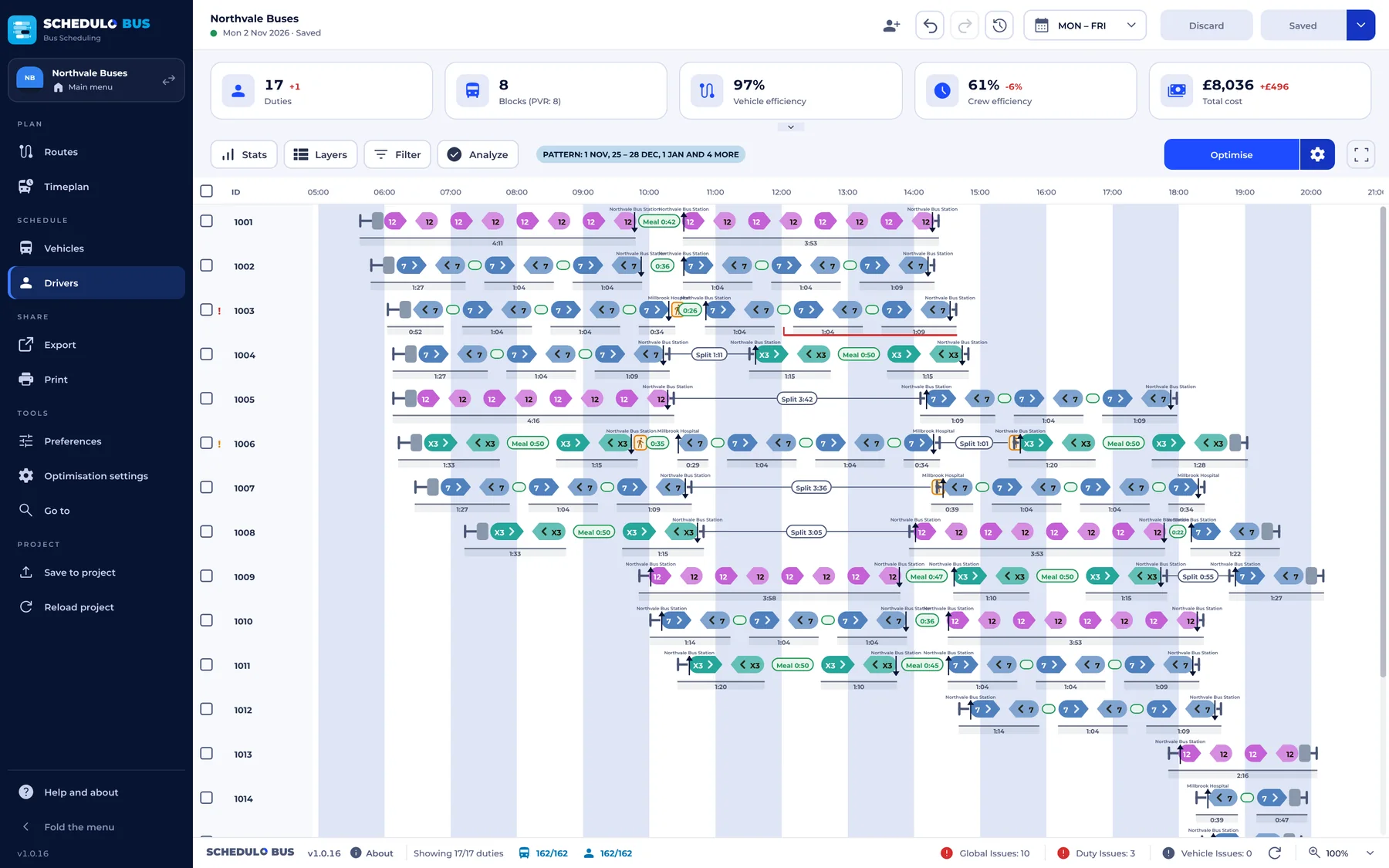
Every duty on a timeline with meal breaks, reliefs and travel. Click a duty for its paid time, signing, breaks and issues.
Pay rules your way
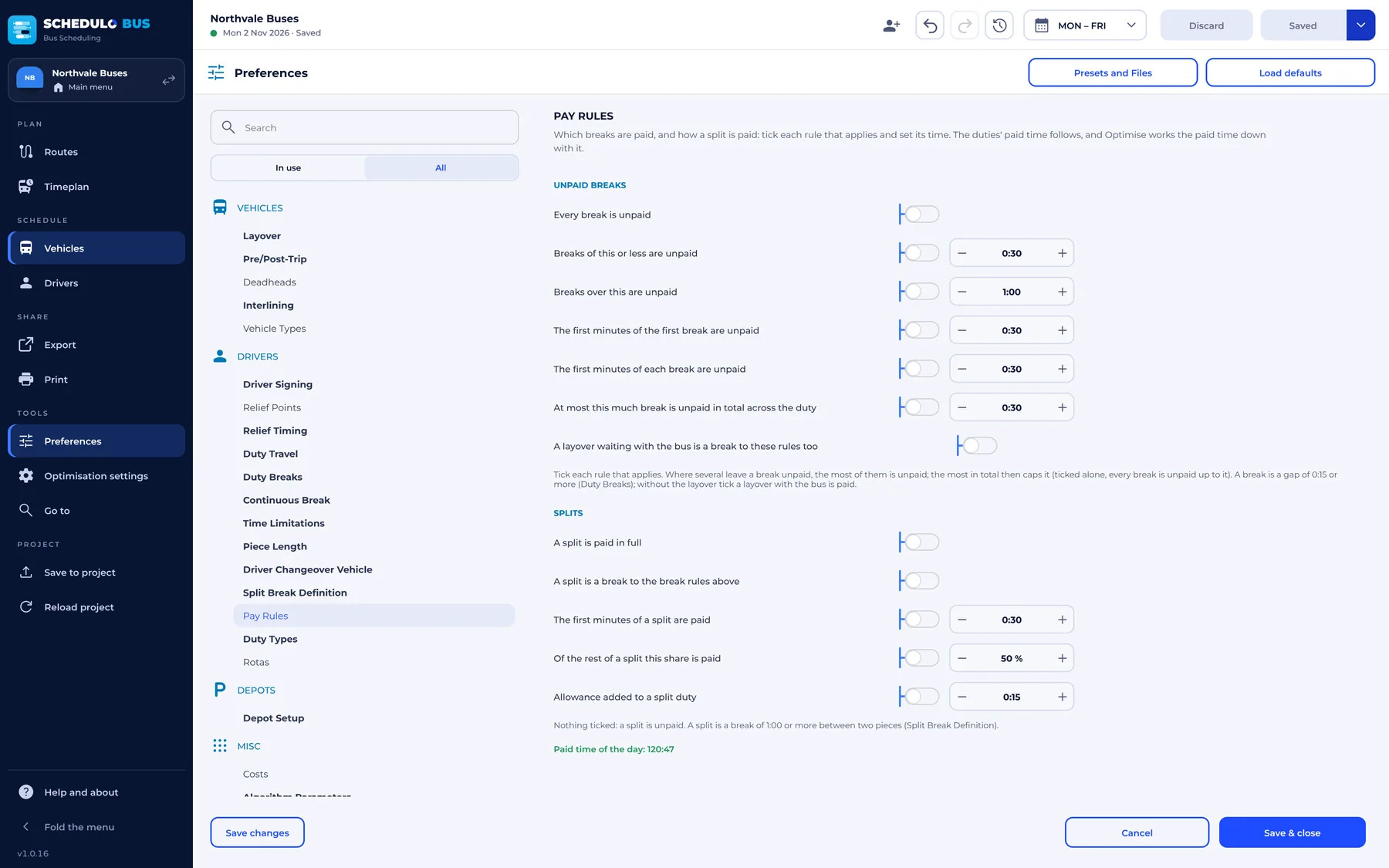
Choose which breaks are paid: all unpaid, short or long breaks unpaid, the first minutes unpaid, or a cap on unpaid time across the duty.
Plan together
Start sharing and send colleagues one join code, for the office or anywhere else. Let them in with View only, Edit or Full. Peer to peer and encrypted, with nothing to set up on the router.
Print and export
Running boards, duty cards, public timetables, graphs and reports, printed or saved as PDF files, with schedules as CSV and the day as an Excel workbook. Every output is in one Share section you can search.
Every kind of day
Copy a day's plan to other days and one-off dates, reset it to its pattern, and keep bank holidays and school holidays in the calendar.
Made for planners
The Schedulo look with a navy menu that folds to icons and a Main menu button, drag and drop, nicknames for companies, your own day names, a guided tour, light and dark, and 30 days of back-ups.
A print studio
A wizard with a gallery of designs for running boards, duty summaries and lists, public timetables and times at a stop, with a Preview button on every step.
Vehicle types, rotas and depots
Give workings a vehicle type and duties a rota, and set up as many depots as you run, each with its own dead runs.
Interlining and empty runs
Buses can run several routes in a day. Empty runs are timed for you, and any you don't need can be deleted. A 0 in the deadheads table means no empty run there at all.
Roadside publicity
Network maps, route and line maps, diagrams, corridor maps and stop panels with a QR code, drawn from your own routes on OpenStreetMap's streets. Save as SVG or PDF, or print.
Diversions in minutes
Set up a closure once. Schedulo Bus finds the way round on the roads, with the drivers' turns and the extra running time, and fills every notice from the stop poster to the driver's sheet.
Your words, your colours
Change every word and colour on the running boards, timetables, graphs, duty cards and reports, and put your own line where it says Created with Schedulo Bus.
Saved into your project
SAVE writes the blocks, duties and the whole planning into the Schedulo project, ready for Schedulo TXC's bring-back. No separate export step.
Checked as Schedulo TXC reads it
After each save the project is opened as Schedulo TXC opens it. Settings shows when it was saved, what was written and any journey it can't match, with why.
The same IDs everywhere
A trip is its journey code (401), a block its own name (25-02) and a duty its own number (1009), on screen, on the running boards and in the TransXChange export.
Your registered timetable stays in charge.
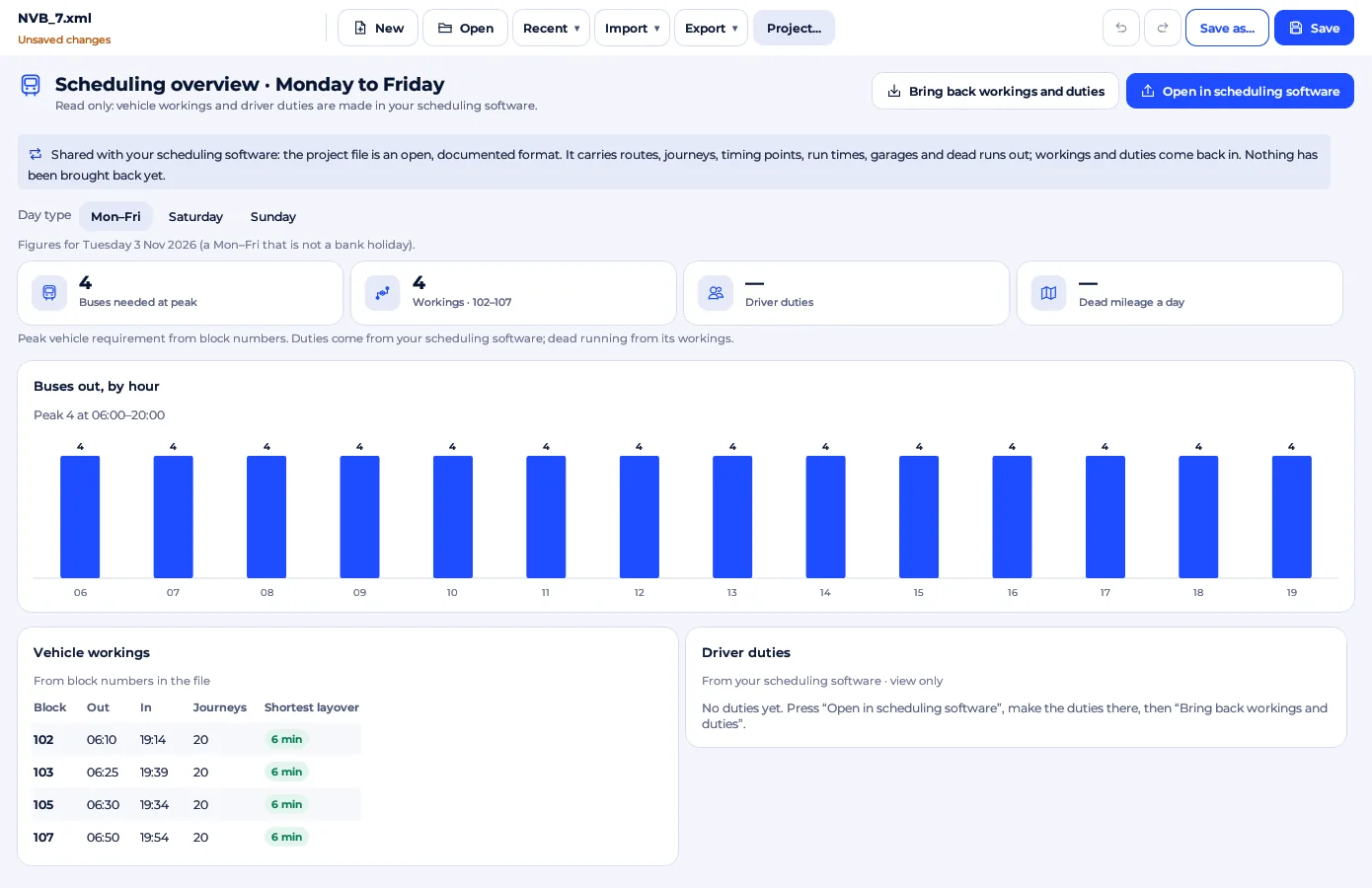
Schedulo Bus opens Schedulo TXC's project files directly. It never edits journeys: block numbers go back through Schedulo TXC's bring-back, so what you save opens there without findings.
1. Run Schedulo Bus
Enter your Schedulo Bus licence key.
2. Open your work
Choose Open a Schedulo project, or Import TransXChange files.
3. Plan
Follow the guided tour, adjust blocks and duties, and press SAVE.
4. Bring it back
Save to the project, then run Bring back workings and duties in Schedulo TXC.
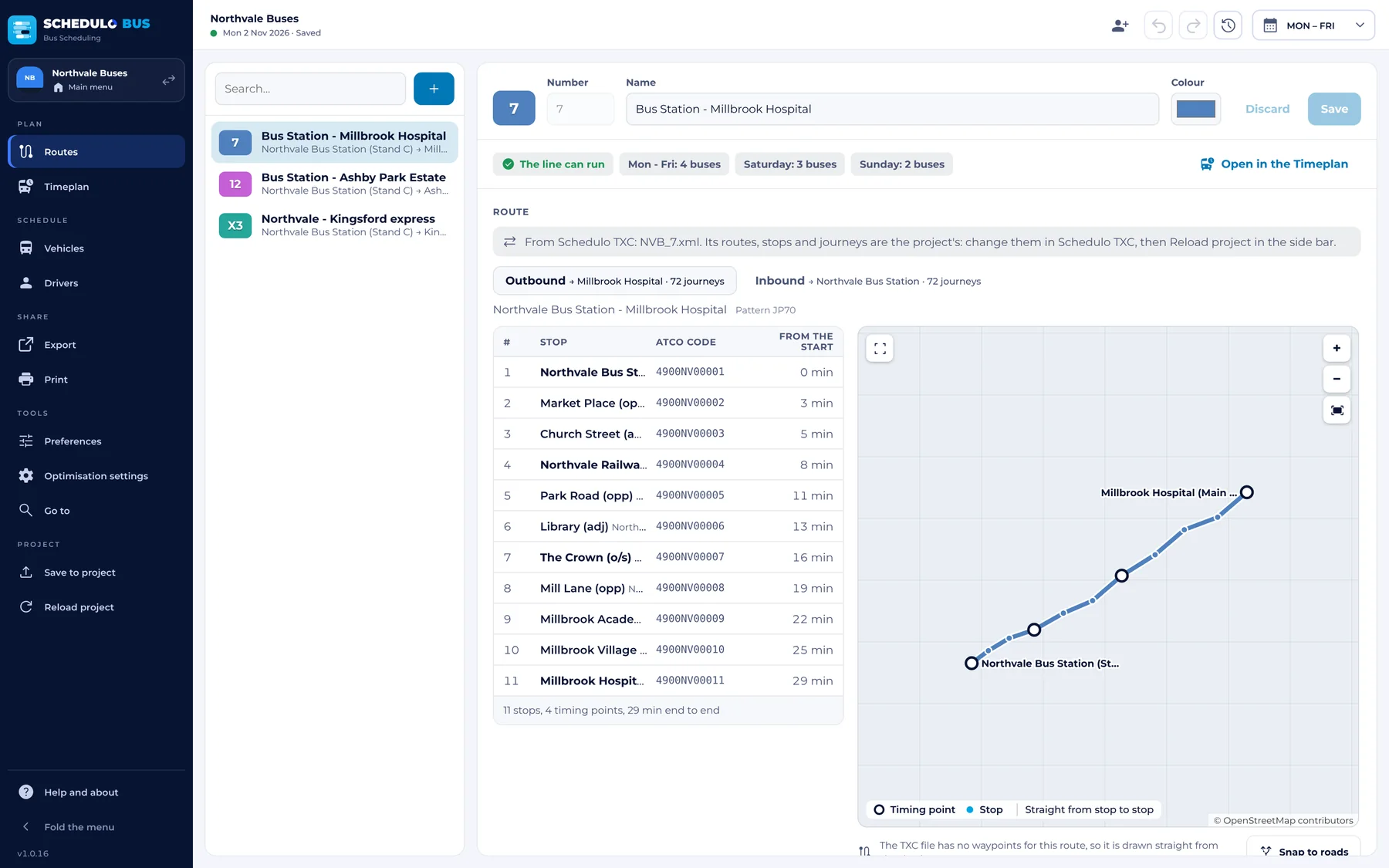
Set up a line in minutes.
Each line is a route, its departures and its depot. Schedulo Bus tells you straight away whether it can run and how many buses it needs.
- Kinds of service: regular, school days, weekend and leisure, or on demand.
- The route: the stops in order with the minutes between them. Outbound reversed gives a start for the way back.
- Departures for each kind of day: first and last bus, frequency and shortest layover, with a different frequency for the peak, off-peak and evening if you like.
- Depot and buses: the line's depot, the dead run to it and which bus types may run it.
- Or open a Schedulo TXC project or TransXChange files, and the lines, stops and journeys are read for you.
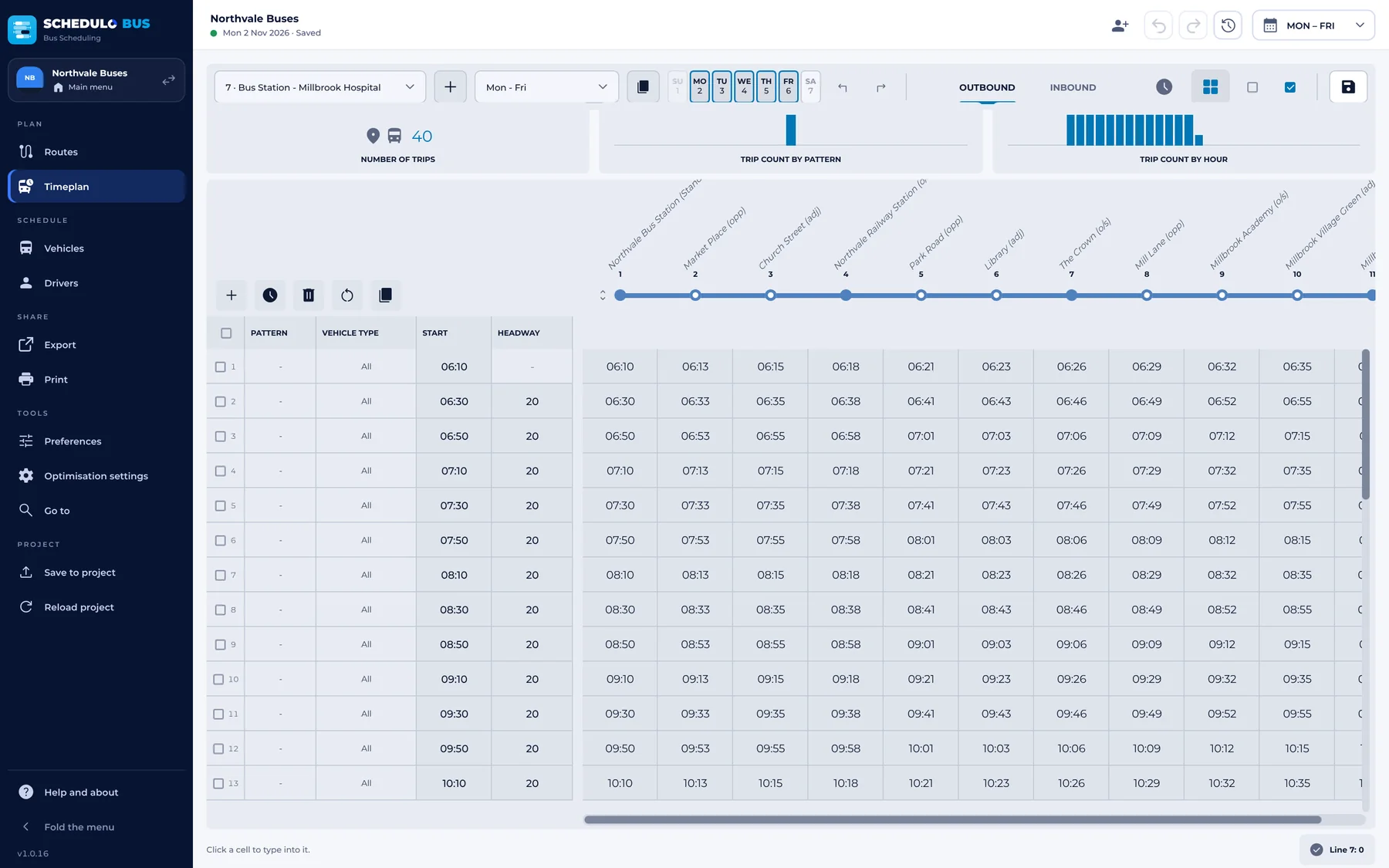
Running times that match the road.
For each line, kind of day and direction, set the running times and shape the timetable trip by trip.
- Time bands, each with its own running times: longer in the peak, shorter in the evening.
- The timetable as a table: add, move or delete trips, and type the time at any stop.
- Copy times to other days or directions.
- Timing points only: show the timetable and running times at the timing points alone; a time typed there is shared between the stops in between.
- Past midnight: +24h runs chosen trips at the end of the day before, up to 36:00, keeping their days. Schedulo TXC brings the move back.
- Several buses can run exactly the same times, for a duplicate on a busy trip.
The fewest buses, with you in charge.
Each row is a bus and its day: trips out and back, empty runs and runs to and from the depot.
- Drag trips between buses, or lock a block so it stays as it is.
- OPTIMIZE looks for the fewest buses and the lowest cost, then shows the difference. You choose ACCEPT or KEEP MINE.
- Key figures at the top: blocks, duties, vehicle and crew efficiency, and the total cost.
- Interlining: a bus can run several lines in a day, with the empty runs between them timed for you.
- Delete an empty run a bus doesn't need, or set 0 in the deadheads table for no empty run between two places at all.
- Interlining groups: name the sets of lines whose buses may run each other's trips, all day or between set times.
- Custom work and empty runs by hand: the + on a bus's row (or a right-click) gives it a wash or a fuel run, or adds an empty run with its notes.
- Click a pull-out or pull-in to see where from and to, how long and how far. Zoom the chart from 75% to 800% with Ctrl and the mouse wheel.
- Give each working a vehicle type, so running boards say which bus to send.
Duties within the rules, and the pay.
Schedulo Bus cuts the blocks into drivers' duties, with breaks, reliefs and travel, and checks every one.
- Your working-time rules: longest duty, breaks, rest between duties, relief points and times, signing on and off.
- Pay rules your way: which breaks are paid, the first minutes unpaid, a cap on unpaid time, and how split duties are paid.
- Every duty's paid time follows the rules, and OPTIMIZE prices duties by the same rules.
- Issues in plain words, such as a driver going too long without a break, each with a button that opens the Preferences at the rule behind it.
- Custom work from the + on a duty's row, with your own label, notes and a From and To, such as “Depot to Traffic office”, printed on the boards and the duty card.
- Preference presets: save your rules under a name and load them into any company, or move them to another computer as a file.
- Give duties a rota, and print each rota on its own pages with its own totals.
Weekdays, weekends and the days in between.
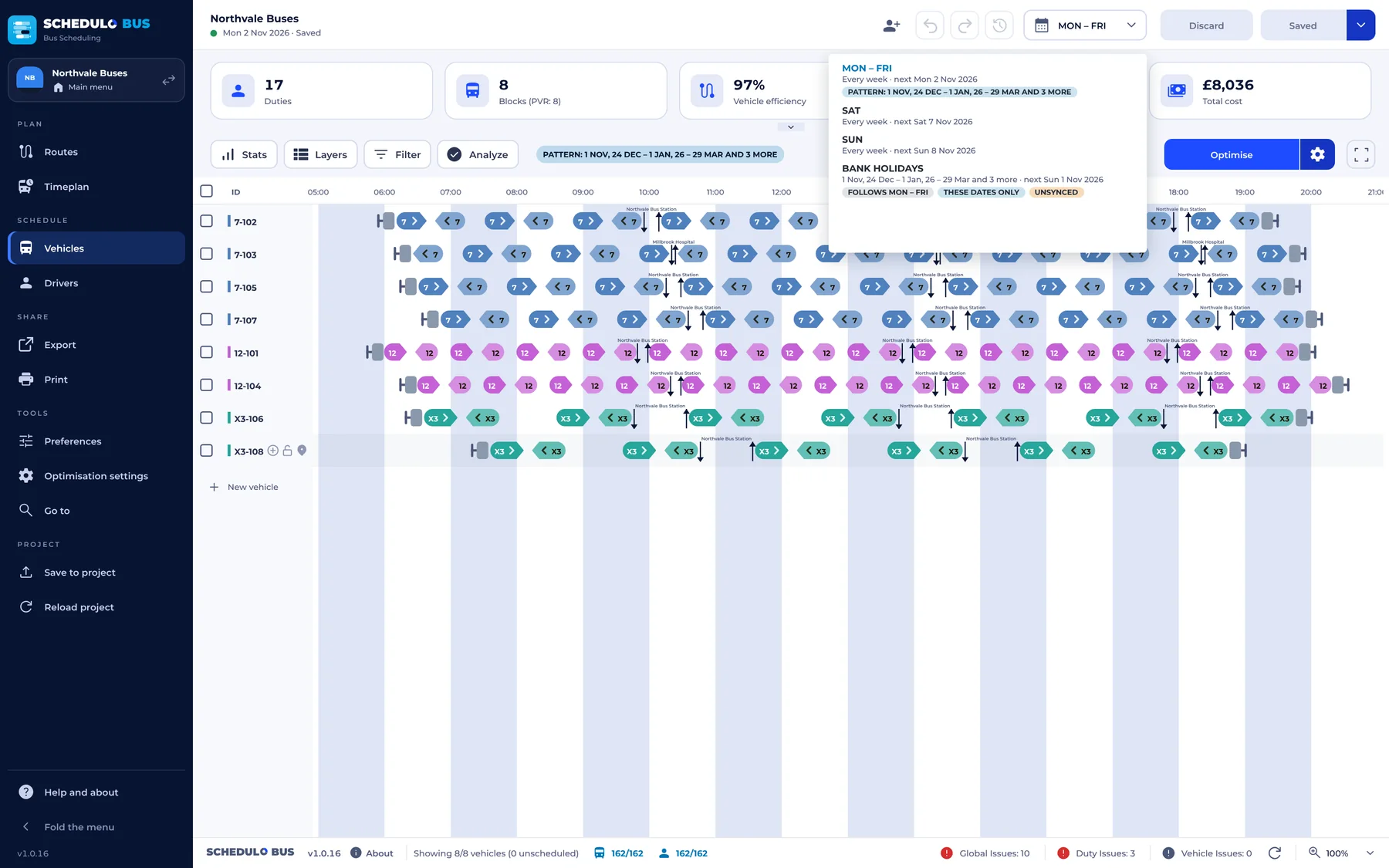
Plan a weekday once and it holds every week. The calendar knows the days that are different.
- Copy a day's plan to other days of the week and to one-off dates, and reset a changed day to its pattern.
- Bank holidays for England and Wales are built in (and those of the Netherlands, Belgium and Germany); add extra ones and the Sunday timetable runs.
- School holidays, when school lines don't run, entered once or for every year.
Paperwork for the depot, in your own style.
A wizard for everything the depot, the drivers and the passengers need, with a gallery of designs and a Preview button on every step. Try a few designs here.
- Running boards in 16 new styles, 13 header designs and four trip layouts, with route colours, a signature box, a walk-round check and two A5 boards on an A4 sheet.
- Duty cards in five layouts: receipt slip (80 or 58 mm), pocket card, A4 with day bar, A4 list and lanyard card, each at its real size.
- Public timetables and times at a stop: 12 timetable layouts, from the classic grid to a leaflet that folds to DL, and 10 for a stop, from a pole strip to a shelter poster.
- A language for each print: English, Dutch, German, French, Polish, Russian or Ukrainian, without changing the app's language.
- Save as PDF files, one for each board or duty or one for all, and export packs such as a “Monday pack” printed in one go.
- Bus and crew graphs in a window of their own, with 26 ready-made layouts from route colours to an A3 wall chart, kept as your own templates.
- Every word is yours: change any word the pages print (“Sign on”, “BREAK”, “Page 1 of 3”) and every colour, kept with the template.
- Two-sided printing, copies of each board, A3 and US Letter, an issue stamp, and “Mark changes since last printed”.
| Departs | From | To | Trip |
|---|---|---|---|
| 05:52 | Depot | Northvale BS | Empty run |
| 06:05 | Northvale BS | Millbrook Hosp. | 7 · 401 |
| 06:44 | Millbrook Hosp. | Northvale BS | 7 · 404 |
| 07:25 | Northvale BS | Fernley Green | 12 · 605 |
| 08:10 | Fernley Green | Northvale BS | 12 · 610 |
| 06:12 | Sign on, Northvale depot |
| 06:27 | Bus 25-01 · 7 to Millbrook |
| 07:32 | 7 to Northvale |
| 08:45 | Meal break 0:37 |
| 09:22 | Bus 25-03 · 12 Fernley Circular |
| 14:47 | Sign off |
| Northvale, Bus Station | 06:05 | 06:35 | 07:05 | 07:35 | 08:05 | then at 05 and 35 past each hour |
|---|---|---|---|---|---|---|
| Market Square | 06:09 | 06:39 | 07:09 | 07:39 | 08:09 | then at 09 and 39 past each hour |
| Riverside Park | 06:16 | 06:46 | 07:16 | 07:46 | 08:16 | then at 16 and 46 past each hour |
| Fernley, The Green | 06:24 | 06:54 | 07:24 | 07:54 | 08:24 | then at 24 and 54 past each hour |
| Millbrook Hospital | 06:32 | 07:02 | 07:32 | 08:02 | 08:32 | then at 32 and 02 past each hour |
Times in bold are timing points. Made-up example timetable.
| 06 | 05 35 |
|---|---|
| 07 | 05 25 45 |
| 08 | 05 25 45 |
| 09 | 05 35 |
| 10 | 05 35 |
- 7Millbrook Hospital09:35
- 12Fernley Circular09:41
- 7Millbrook Hospital10:05
- XAshby Express10:12
The figures behind the plan.
More reports on the Print menu, in one window. Each prints, saves as a page or as CSV.
- Costing by route and day, and a tender price sheet: a year's price from the days each plan runs, with overheads and margin.
- Buses out through the day, each bus's mileage and hours (live and dead), and a route's time and distance graph.
- For the depot: the run-out sheet, relief points, a controller's sheet for a stop and the changes since the boards were last printed.
- The day as an Excel workbook (.xlsx, five sheets), and a calendar of the days each plan runs.
- Choose the columns of the schedules and reports: show, hide, move and rename each.
- Customise the page: your own footer line, the colours of titles and tables, and every heading in your own words.
| Route | Miles | Cost a day | |
|---|---|---|---|
| 7 | Northvale – Millbrook | 312 | £1,840 |
| 12 | Fernley Circular | 188 | £1,126 |
| X | Ashby Express | 246 | £1,402 |
| S1 | School service | 58 | £344 |
| Days a year the plan runs | 253 |
| Vehicle cost a day | £2,410 |
| Driver cost a day | £3,502 |
| Overheads (12%) | £181,700 |
| Margin (8%) | £135,640 |
| Price a year | £1,812,400 |
| Out | Board | Bus | Bay |
|---|---|---|---|
| 05:40 | 25-01 | Double deck | Bay 3 |
| 05:52 | 25-02 | Double deck | Bay 4 |
| 06:05 | 25-03 | Single deck | Bay 1 |
| 06:20 | 25-04 | Midi | Bay 7 |
Every print in your colours.
Set your logo, colours, font and company name once. The boards, cards, timetables and graphs start from them.
- Your logo, a main and a second colour, a font and the company name as printed, kept with the company.
- Route colours: a colour picker for every route, used by the charts, the graphs, the timetables and the running boards.
- Your own design over any style: colour themes, fonts, lines, corners, pictures, a watermark and text boxes with fields such as {duty} and {sign on}.
- Graph colours by route, by duty type, black and white, or patterns for mono printers.
- Templates save to a file and back, to use at another depot or on another computer.
Maps and notices from your own routes.
Network maps, route maps, stop panels and diversion notices, drawn from the company's routes on OpenStreetMap's streets, in your brand kit's colours. Try a look here.
- Network maps and diagrams: on the streets, dark, by frequency, at night, fare zones, a town centre with the whole network inset, or straight and 45° diagrams.
- Route and line maps: both ways with arrows, the stops numbered with their minutes, a straight strip under the map, or the buses each hour.
- Stop panels with the buses from the stop, a map of their routes and a QR code for live departures, for one stop or every stop at once.
- Diversions and closures: the way round is worked out on the roads, keeping off the closed road and one-way streets the wrong way, with the drivers' turns and the extra running time.
- Customise every map: which routes and stops show, names just for the map, key, north arrow, scale bar, every colour and the type, saved as house styles.
- Move and zoom the map, set an exact scale, then save as SVG or PDF, or print.
Plan with colleagues, at the same time.
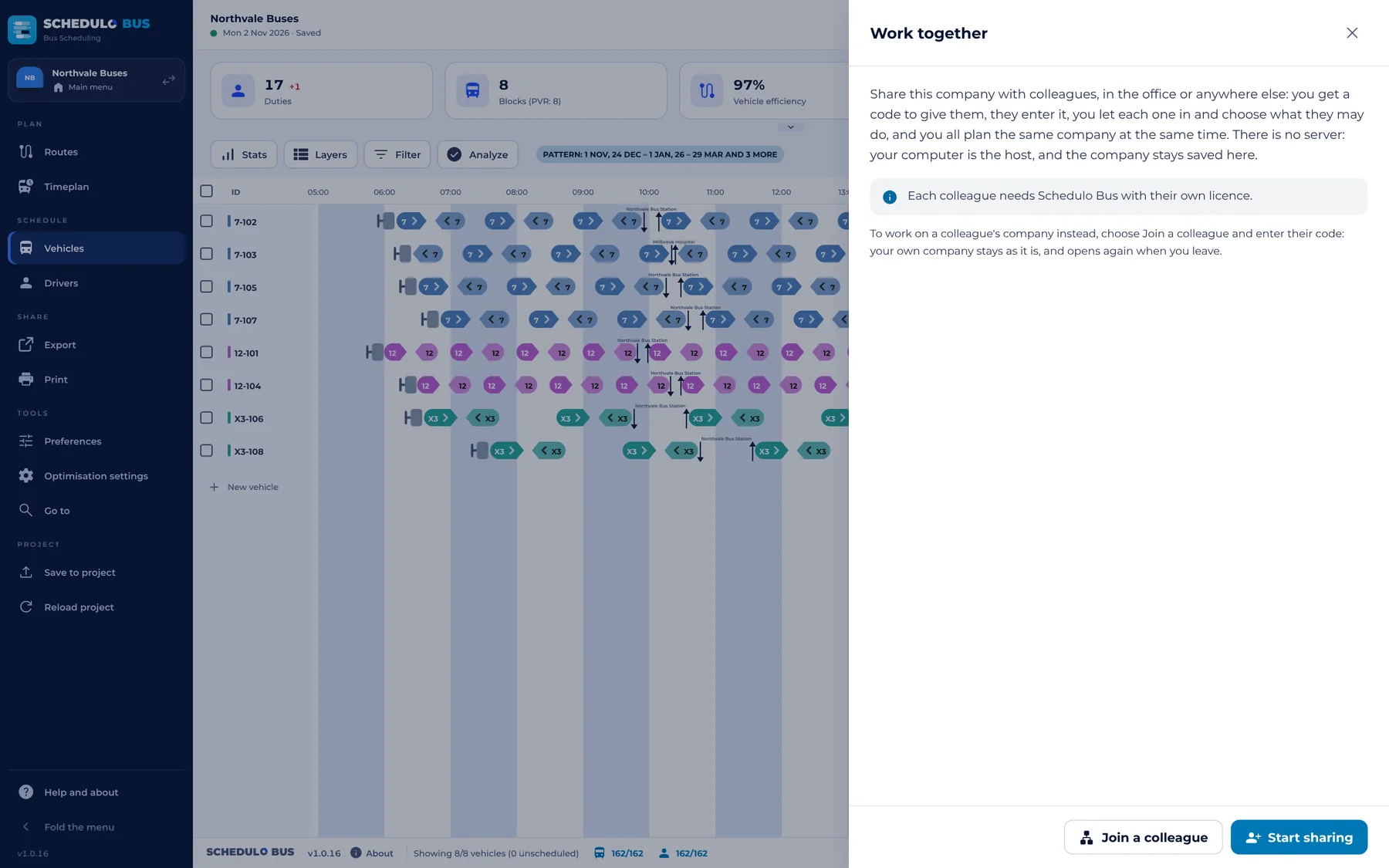
Several planners can work on the same company at once, each on their own computer, in the office or anywhere else, with no server.
- One join code (
NTSB-) for the same network and anywhere else, to copy and paste. Nothing to set up on the router. - You decide who does what: View only, Edit (blocks, duties and timetables), or Full (preferences and settings too).
- Every change shows on every screen within a second or two, and marks in the title bar show who else is in.
- Peer to peer and encrypted end to end, directly where possible and through a relay where not. The company stays saved on the host's computer.
- Ten wrong codes in a minute and nobody new is let in until the minute is over, so a code can't be guessed.
Your registered timetable stays in charge.
Schedulo Bus never edits journeys. Its blocks and duties go back through Schedulo TXC, where they are checked before they are saved.
- SAVE writes into the project: the blocks, the duties and the whole planning, ready for Schedulo TXC's bring-back.
- Checked as Schedulo TXC reads it: after each save the project is opened as Schedulo TXC opens it, and anything it would leave out is listed.
- The same IDs everywhere: a trip is its journey code (401), a block its own name (25-02) and a duty its own number (1009).
- Settings › Schedulo project shows when it was last saved, what was written and any problem, with why.
- Reload project in one click after changes in Schedulo TXC. The project file is watched, and a bar tells you when it has changed.
- Back-ups every day, kept for 30 days, and the whole company can be saved as one file.
In practice
What you need to use Schedulo Bus.
The practical marks
- Windows 10 or 11
- One .exe in a zip, no installer
- Uses the WebView2 that Windows already has
- No server and no account to create
- Daily backups kept for 30 days
- Changes stay a draft until you press SAVE
- Share from your PC with a join code
- Prints or saves as PDF: boards, cards, timetables and reports
Up and running
- Unzip and runRun the Schedulo Bus program from the zip.
- Add your keyPaste the licence key we send you. No key yet? E-mail Licence@schedulo.uk.
- Open your projectOpen the Schedulo TXC project (.ntsproj) or TransXChange files for your services.
- Plan and saveWork through Timeplan, Vehicles and Drivers, then SAVE for Schedulo TXC to bring back.
New features for Schedulo Bus.
Just released in Schedulo Bus 1.0.18, with more on the way:
- Schedulo Bus as a web page. The whole program in a browser tab, with the same licence keys, working together with the desktop app both ways.
- Optimise finds the best plan, not the first that fits: the fewest hard rules broken, then the lowest cost, with drivers relieved part way through trips.
- Duty targets and clearer break rules. The most duties and split duties, the longest piece of work, and when a layover counts as a break.
- 15-minute lines on the Vehicles and Drivers timelines and on the bus and crew graphs, so a time reads to the quarter hour.
In the next release, announced on our News page.
A look inside Schedulo Bus.
Pick a screen. Real screenshots of the app, with made-up example data.
Ready to plan smarter?
Ask for a demonstration, a trial or a licence key, or tell us what your operation needs. Every message goes to the right person at Newey Transport Services, and we reply by e-mail.
- Demonstrations and general questions
- ContactUs@schedulo.uk
- Licence keys and renewals
- Licence@schedulo.uk
- Help with Schedulo TXC, Bus, Coach or licensing
- Support@schedulo.uk
- News and updates
- Follow Schedulo on LinkedIn